One of the most challenging steps in business is to create a startup brand. The founders need to articulate their thoughts, establish their identity, and appear professional when they have little time and few resources. Consistency and clarity are essential in gaining trust at an initial stage, whether it is pitch videos, product explainers, or brand images.
CapCut offers an AI-assisted creative space that assists startups in managing these issues effectively. Using sophisticated AI solutions embedded in CapCut Desktop, founders and small teams will have access to creating organized content, crafting brand messages, and creating professional logos without involving outside agencies. Such workflows, enabled by AI, enable startups to work on idea testing and business development rather than wrestle with production work.
CapCut as an AI-Powered Creative Platform
CapCut offers beginners the tools required to produce content and assets of branding within a short time and at a professional level. Through AI-powered processes, startups can concentrate on the growth of their business, and at the same time, they have brand consistency and clarity.
CapCut AI Writer (Desktop)
Benefits for Startups
Start-ups need clear messages, which will be the initial impression that potential customers, partners, or investors may have of the business. It does not matter whether it is an explainer video, a pitch script, or even an introduction to the product; AI Writer by CapCut assists the founders in making the scripts organized and effective.
This tool helps startups:
- Write pitch videos, explainer videos, and presentation scripts.
- Arrange product ideas in coherent and well-followable items.
- Tone to suit various audiences, e.g., investors or customers.
Full Workflow Using CapCut AI Writer
Step 1:Open the AI video maker
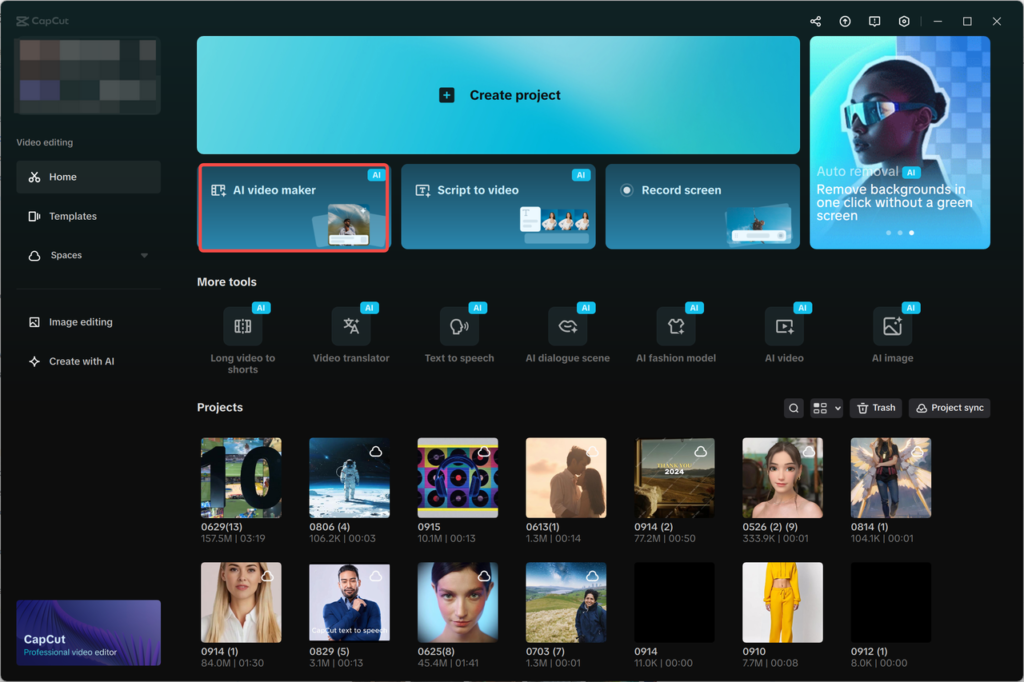
- Open CapCut, and in the main interface, click on the option of “AI video maker”.
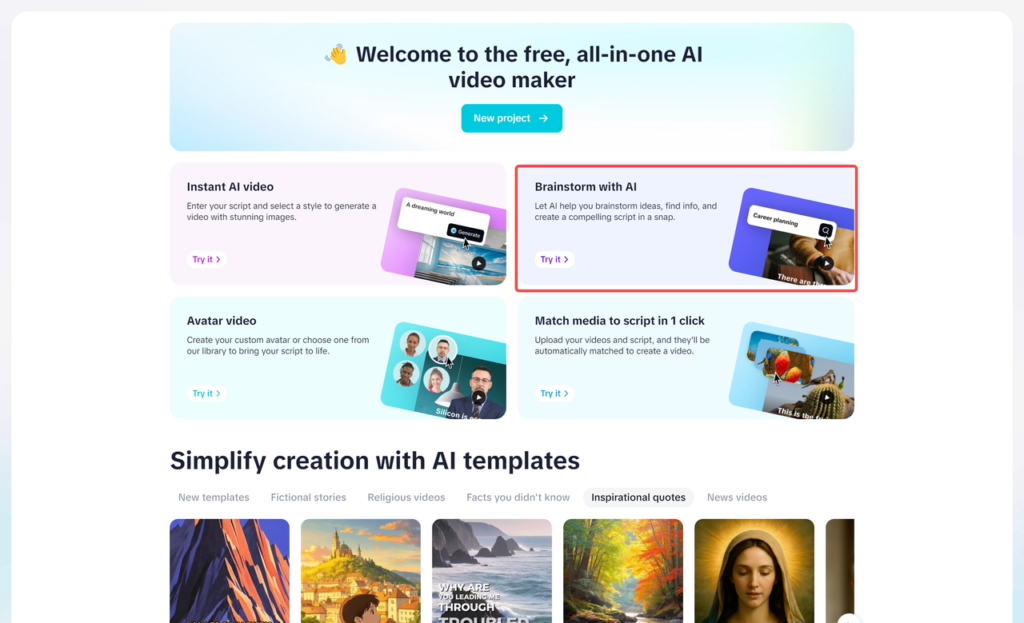
- Select the option of “Brainstorm with AI” and begin generating content ideas.
Step 2: Brainstorm content ideas
- Enter one of the concepts related to a startup, i.e., “Create a product overview.”
- The AI will suggest a list of themes to you based on your input.
- You may pick (pin icon) the best ideas or explore more options.
- After finalization, the topics are automatically converted into structured points. Click “Generate script.”
Step 3: Generate and customise your client script
- Once a topic is chosen, AI produces a script in its entirety.
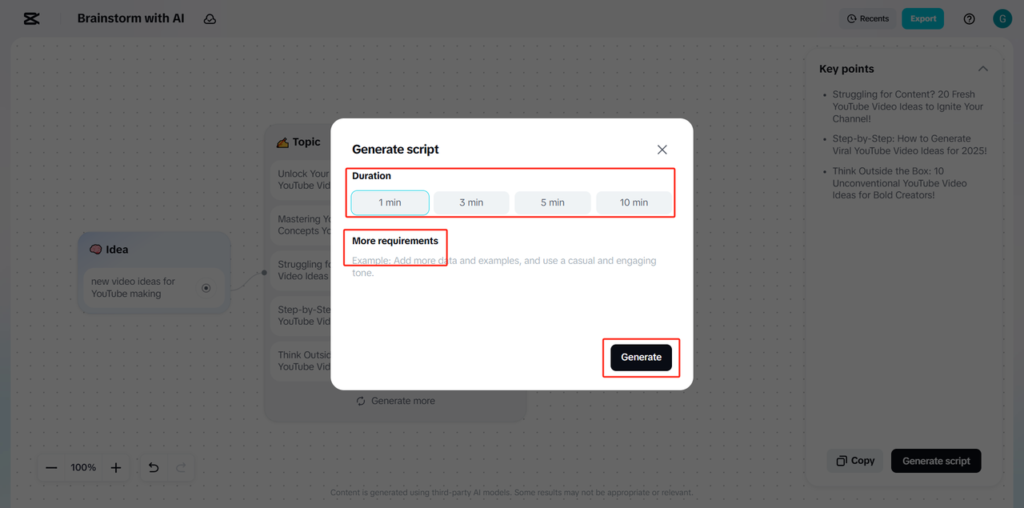
- This presents a customization window in which you will have an option of the duration, either a short pitch or a longer explainer.
- Enter the instructions in the “More requirements” field, such as Stay assertive and to the point.
- Clicking on the “Generate” button will generate the script.
Step 4: Review and apply the script
- Review the generated script.
- Click “Use” to utilize the script with your startup content.
- Should some changes be required, choose Create again to create a new version with the changes or Cancel to leave.
CapCut AI Logo Generator (Desktop).
Benefits for Startups
A good logo is crucial in the branding of a startup. It is what the company is known for and appears on different assets, including websites, pitch decks, products, and marketing materials. The AI Logo Generator offered by CapCut will enable startups to create professional logos within a short time frame, even without design skills.
This tool helps startups:
- Develop logos that reflect the brand and industry values.
- Create logos with no complicated software.
- Make sure that there is consistency in branding resources.
Complete Workflow with CapCut AI Logo Generator.
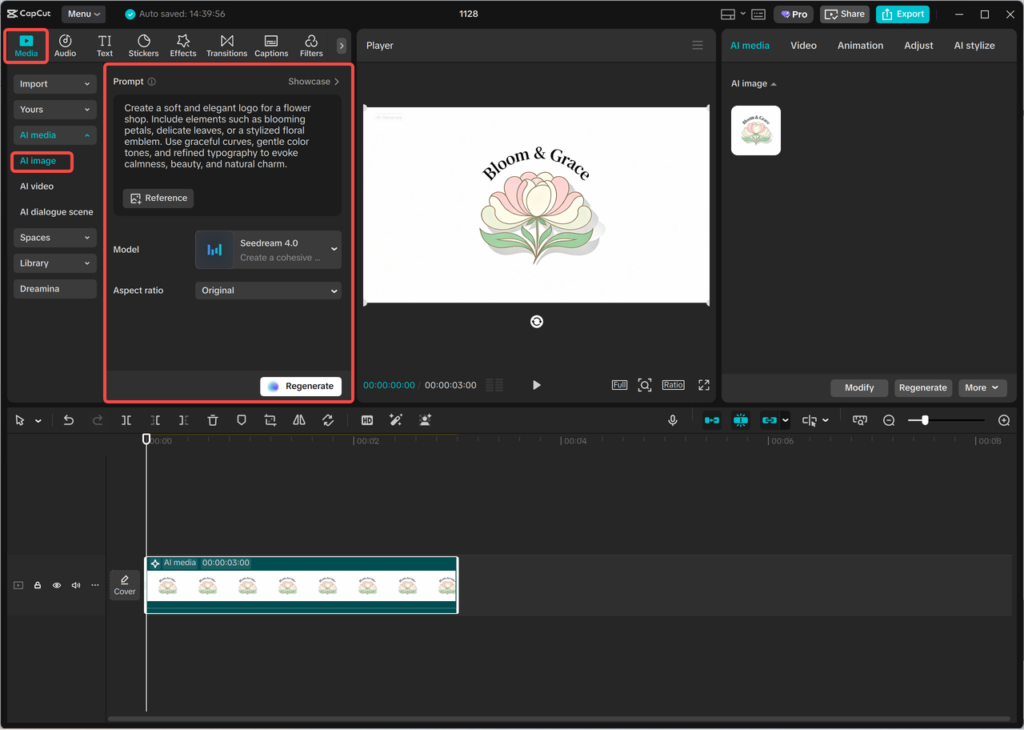
Step 1: Enter text prompt
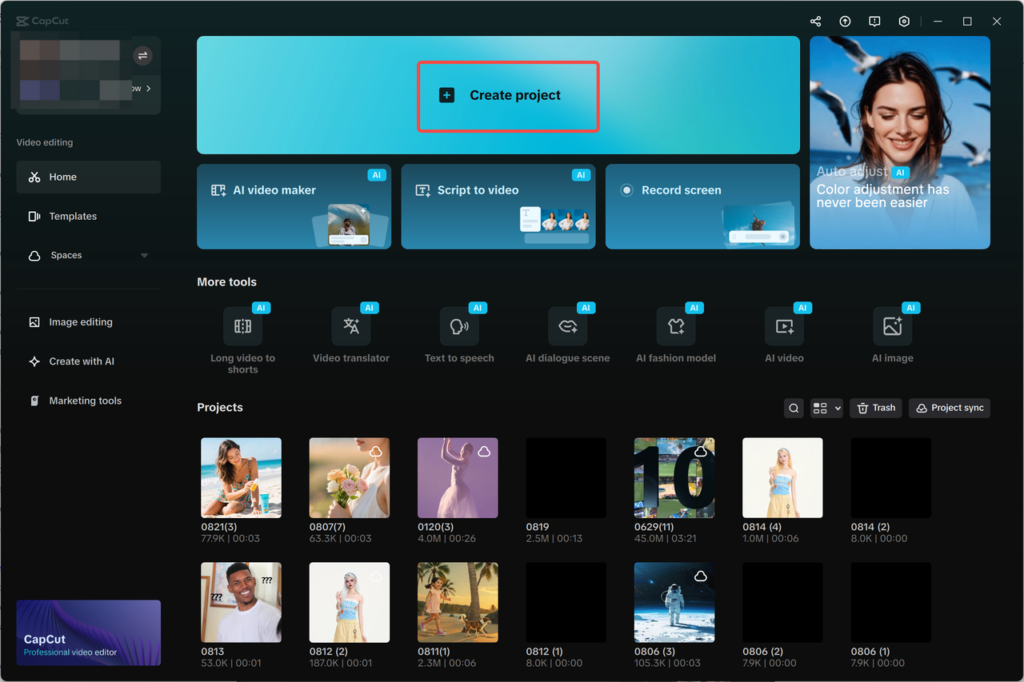
- Create a new project in CapCut and go to AI media and then AI image.
- Write a detailed prompt of the text that should be used as a logo in your startup. Add the industry, the brand personality, color preferences, and the general style.
- You can also upload a reference image, which can be used to guide the design.
Step 2: Generate an AI logo
- Select the models of available generation, such as Nano Banana Pro, Seedream 4.0m, Seedream 3.0, Seedream 3.1, and Flux 1.1 Pro.
- Click “Generate.” The AI creates a number of logo choices depending on your prompt and the model chosen.
Step 3: Edit the logo
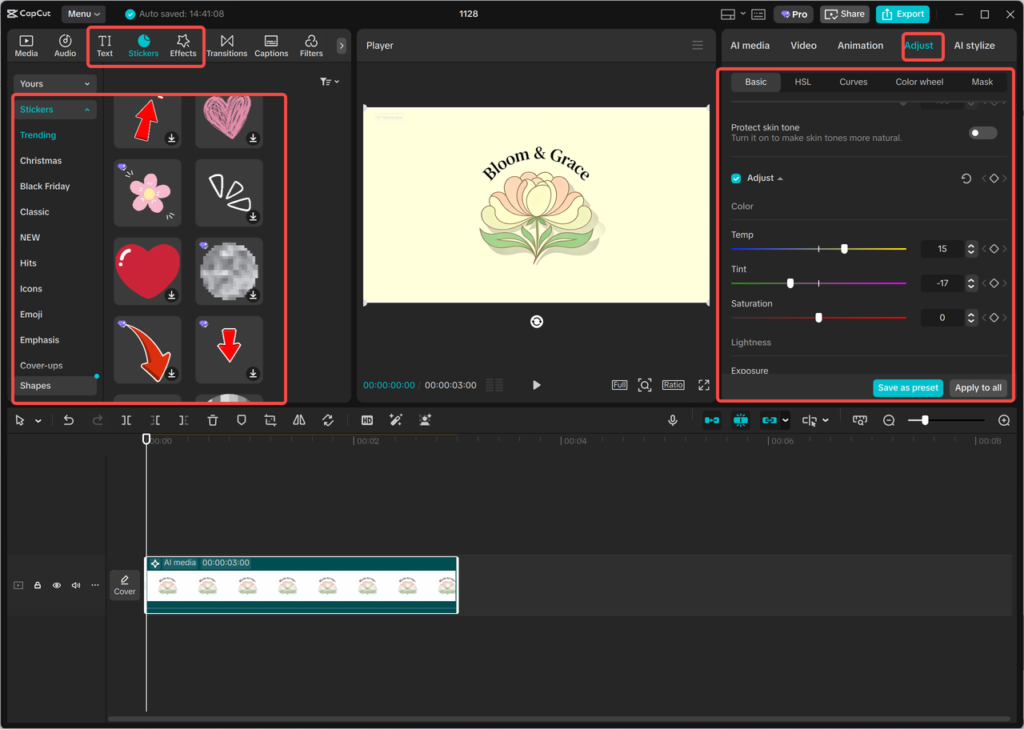
- Edit the logo with the editing tools found in CapCut.
- Add your startup’s name, fonts, colors, icons, and visual effects to match the logo with your brand.
These alternatives can be used to make the logo professional.
Step 4: Export the logo
- After finishing with the logo design, just use the three-line menu above the editing panel.
- Select “Export still frames.”
- Select the resolution level (up to 8K) and the format, and press the “Export” button to download the logo to use.
CapCut Online Photo Editor (Web)
The branding assets tend to change with the development of the startup. Some minor editing might be required with logos, and images might have to be edited in a few seconds when it comes to announcements or social media. The online photo editor by CapCut is a web-based service that offers quick edits and an easy method of polishing photos without having to download any program
Aligning Content and Visual Identity for Startup Growth
When messages and images are consistent, the brand strength of a startup improves. Scripts developed by AI will be perfect in terms of clarity, whereas personal logos will underpin recognition and business. Using CapCut Desktop, startups can:
- Develop pitches and explainer scripts.
- Create scalable platform logos.
- Always keep branding in line with business development.
This alignment assists startups to project themselves confidently to customers, partners, and investors.
Supporting Different Startup Use Cases
Startups have many needs for content, such as:
- Investor pitch videos
- Explainers of product launches.
- Onboarding and website materials.
The AI tools in CapCut give teams the ability to adjust scripts and visuals per use case without having to write scripts and images. This is flexible enough to facilitate quick iteration and effective experimentation.
Expanding Spends on Branding to the Next Level
The larger the startups, the more branding is required. New messages and graphics might be needed to present new products, features, or markets. AI-enabled tools will allow scaling the branding process with ease without adding any considerable load.
CapCut helps to achieve growth through the combination of:
- Structured content creation and branding desktop AIs.
- Fast visual update web-based tools.
Summary:
To build a startup brand, there must be clarity, consistency, and speed. CapCut Desktop offers AI-based services, which enable startups to create content scripts and design professional logos with ease. These functionalities decrease the use of manpower and also aid in a unified brand identity.
CapCut provides a feasible solution to help the startup build and develop its brand confidently with the added flexibility of quick online image editing.